Build a WhatsApp Chatbot in Minutes | Chariot Digital (Official Meta Partner)
Build a WhatsApp chatbot in minutes — no coding required.
Chariot Digital helps you set up a verified WhatsApp Business Account and create automated chatflows using a no-code builder like BotSailor. Automate conversations, drive sales, capture leads, and deliver instant customer support without any technical hassle.
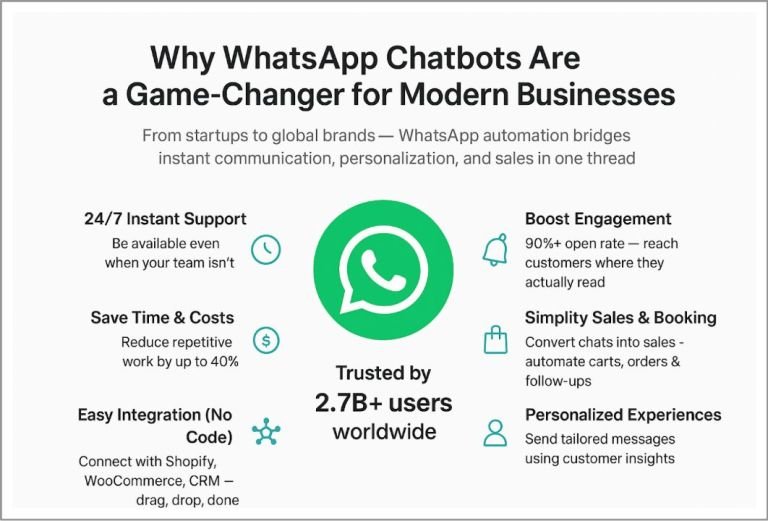
WhatsApp chatbots deliver exceptional results, including a 98% message open rate and a verified 156% increase in conversions compared to traditional channels.
This is how modern brands use Chariot Digital to turn simple chats into revenue.
Build Your First WhatsApp Chatbot In Less Than 10 Minutes
How Quickly You Can Build a WhatsApp Chatbot (Even If You Aren’t a Tech Expert)
Let’s get straight to the point — building a WhatsApp chatbot is incredibly easy. You don’t need coding skills or any technical background. You only need two things:
A Verified WhatsApp Business Account (WABA)
A No-Code Business Service Provider (BSP) — Chariot Digital provides this setup for you
If your Verified WABA is already active, perfect. If not, just install WhatsApp Business, verify your number, and you’re good to go.
Before starting, make sure you have:
A Meta Business Suite account with admin access
Your WABA linked to your Meta Business Suite or Facebook Page
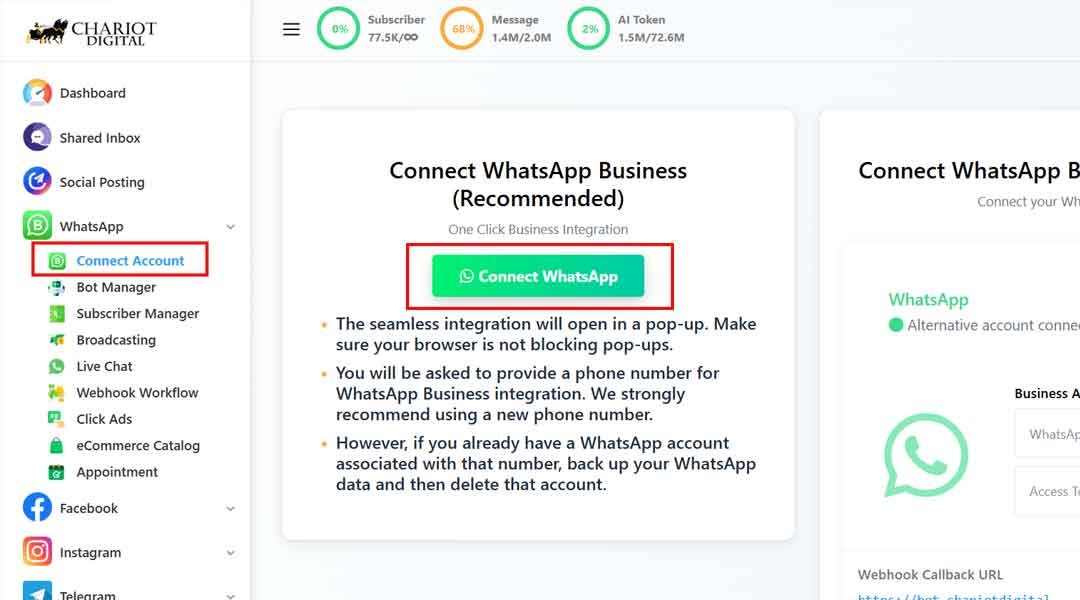
Now open your Chariot Digital dashboard and go to:
Connect Account → Connect WhatsApp
You’ll see two integration options.
Choose the recommended one-click integration for the fastest setup.
If you ever need step-by-step guidance, Chariot Digital provides a complete onboarding video and Cloud API assistance.
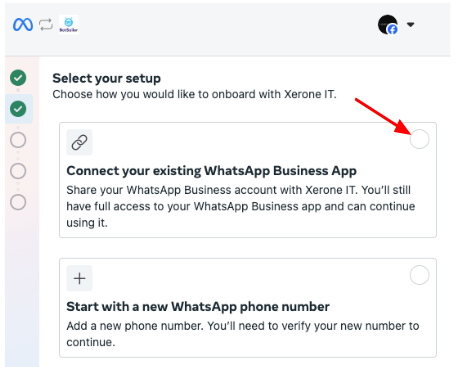
Now, choose based on your setup — with or without catalog permission.
Click → You’ll be redirected to a Facebook login page. Fill-up the required information. Use the account that has admin access to your Meta Business Suite (Formerly known as Facebook Business account).
Next → Select the marked button.
Follow the additional on-screen instructions → Save
Once verified, BotSailor will finalize the link. After that, check your BotSailor Dashboard to confirm your WhatsApp account is linked. And then? You are ready to fly!
Now, the interesting part—you will design exactly how the chatbot will interact with your customers without writing a single line of code! It’s time to say hello to your Bot Manager .
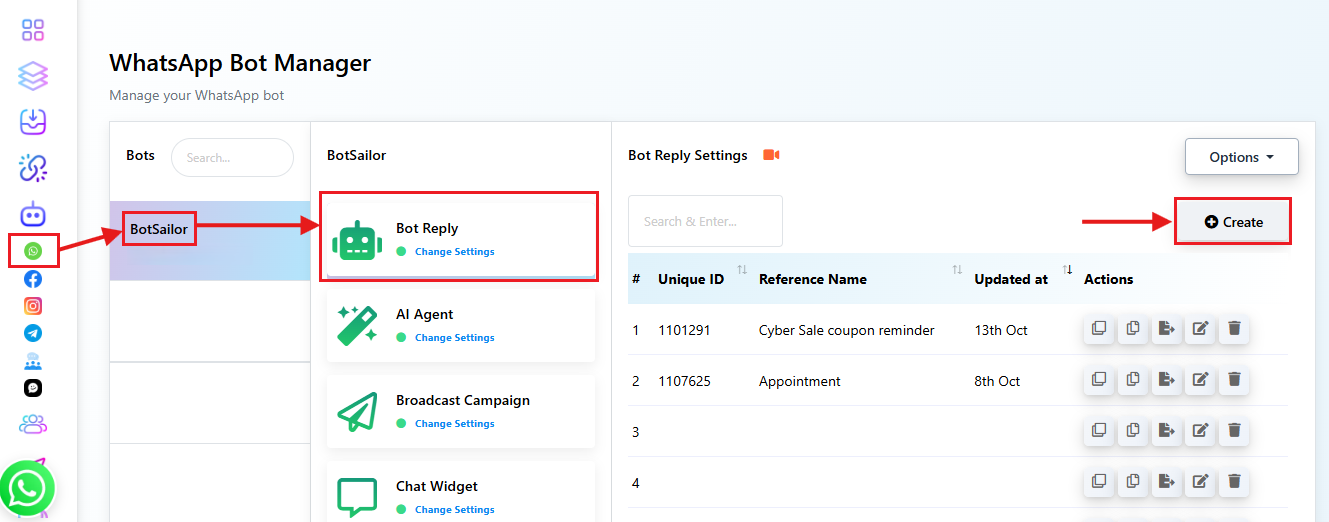
Now, from the Dashboard, you have to create a bot according to the instructions:
- Click on the Chatbot Manager → Navigate WhatsApp Bot Menu
- Click on the Bot Reply section → Create
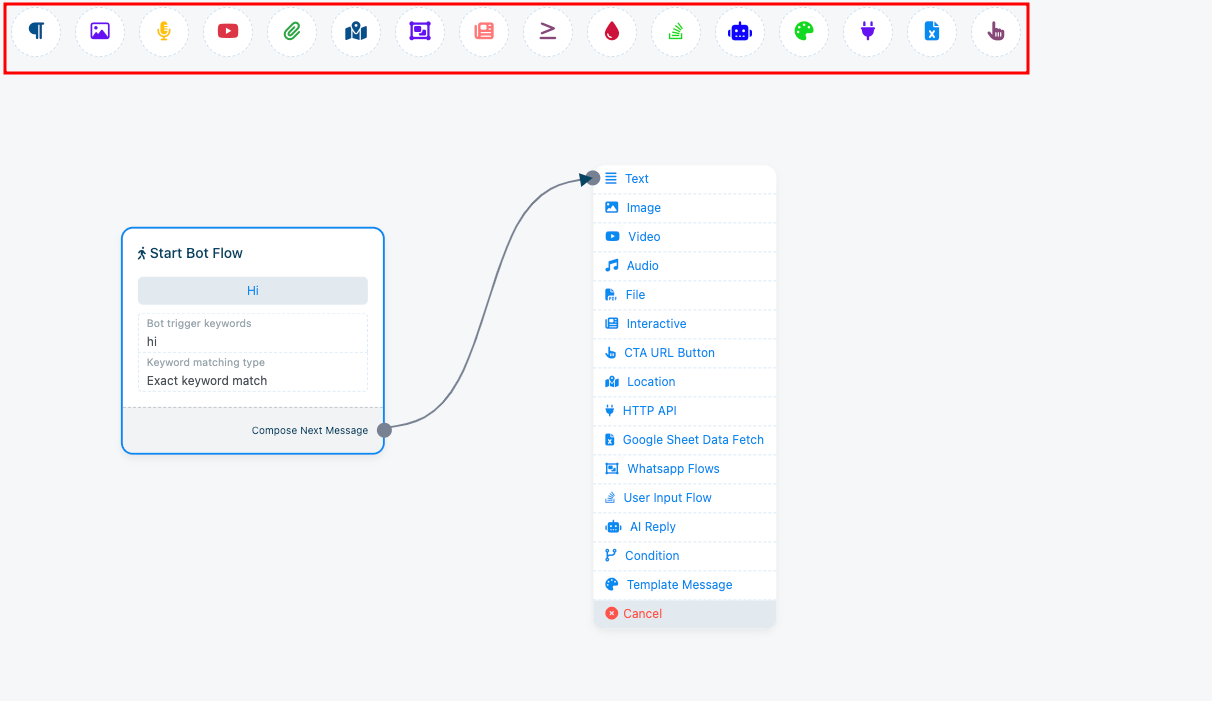
Instantly, a bot flow-builder canvas will appear shown in the following screenshot. The marked zone shows the various components you can use to configure your chatbot’s action.
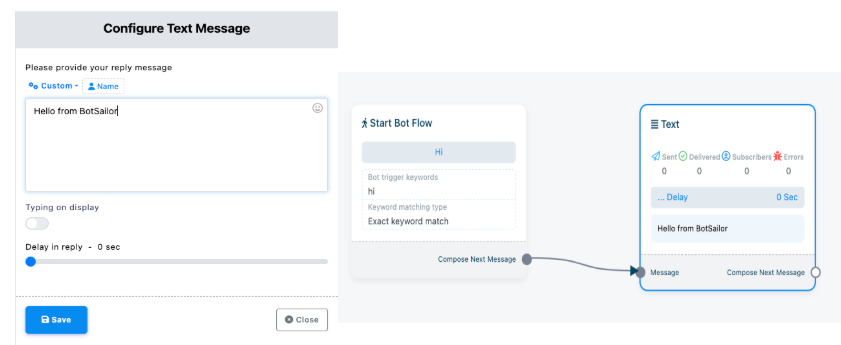
To be honest, once you get comfortable with this drag-and-drop interface, you’ll be unstoppable! There’s literally nothing your bot won’t be able to handle, from FAQs and customer support to running an entire sales campaign. However, let’s begin with a simple greeting note.
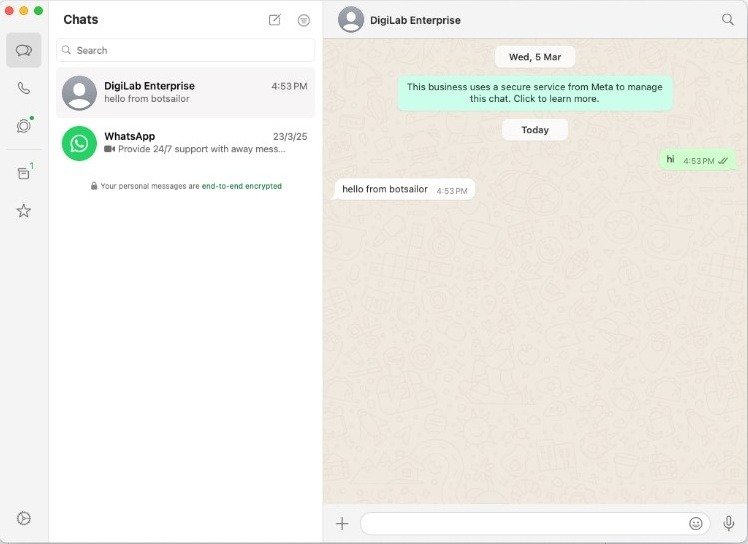
Now, save the flow and test the chatbot to see if it works properly or not.
Great! It’s working. You’ve just built a simple WhatsApp chatbot. But It’s only the beginning. Gradually, you will master many more powerful features, such as managing user input flow, setting up sequence messages, integrating your catalogue and Google Sheet data. Essentially, you’ll be able to completely automate your entire WhatsApp marketing strategy . And yes! Even then you won’t need any coding knowledge.